Figma Translation Integration
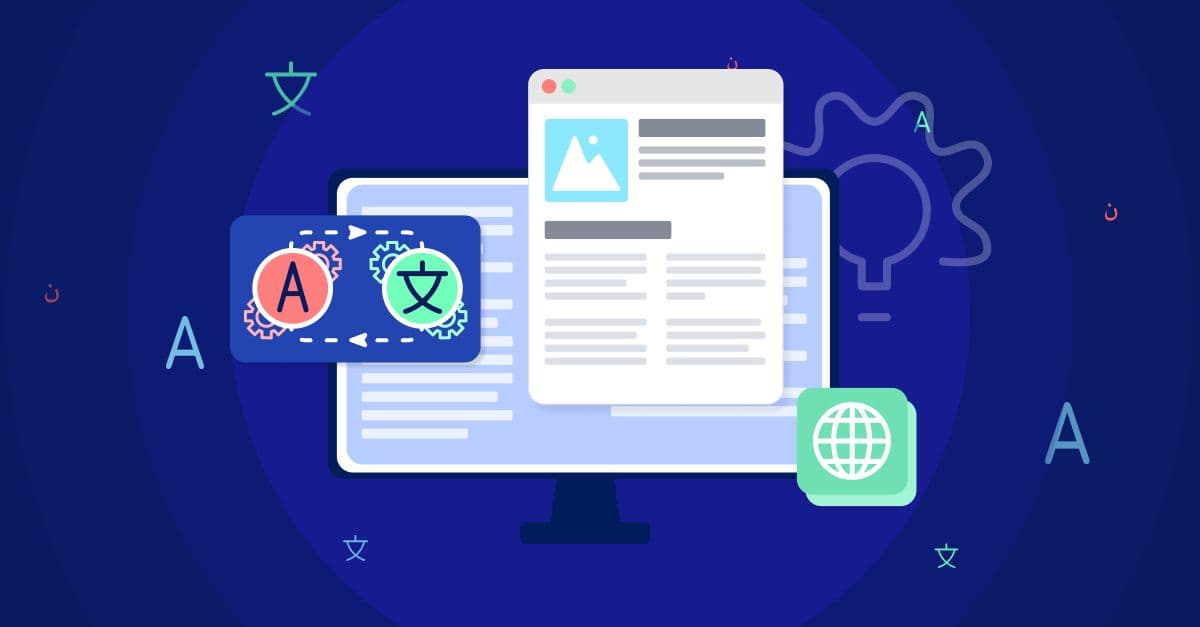
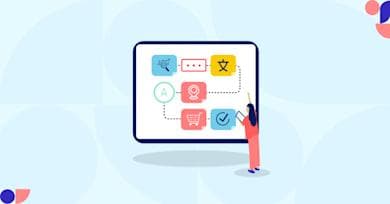
Figma Translation Integration is the systematic synchronization of UI/UX design layers in Figma with translation management systems or enterprise AI translation platforms, so teams can extract strings, translate them with context, and push localized content back into designs without manual file shuffling. For enterprise design and localization teams, product managers, developers, and localization managers, that bridge between product design and localization removes a major workflow bottleneck while protecting design integrity across languages.
In this technical exploration, we examine how contextual AI and human-in-the-loop workflows turn design into a continuous localization pipeline. You’ll see the architecture behind the integration, the core capabilities and operational benefits it enables, and the implementation strategies, best practices, security considerations, scalability requirements, and industry trends that shape multilingual product delivery. The goal is practical: faster time-to-market, fewer localization errors, more consistent global brand voice, and a design system that scales cleanly across markets from the first wireframe to the final production handoff.
Key Takeaways
Design-to-Code Synergy: Integration allows for the seamless flow of content between design systems and translation engines, reducing manual overhead.
Contextual Accuracy: Translators gain immediate visual context, ensuring that localized strings fit within UI constraints and maintain intent.
Faster Time-to-Market: Parallelizing design and localization workflows enables concurrent development cycles rather than linear, siloed processes.
Risk Mitigation: Early identification of text expansion or layout issues prevents costly design revisions late in the development stage.
Adaptive Feedback: Leveraging LLM-powered engines ensures that terminology remains consistent across all localized prototypes.
Scalability: Centralized management of design strings supports rapid expansion into dozens of locales without increasing administrative complexity.
Defining Figma Plugin Translation Integration
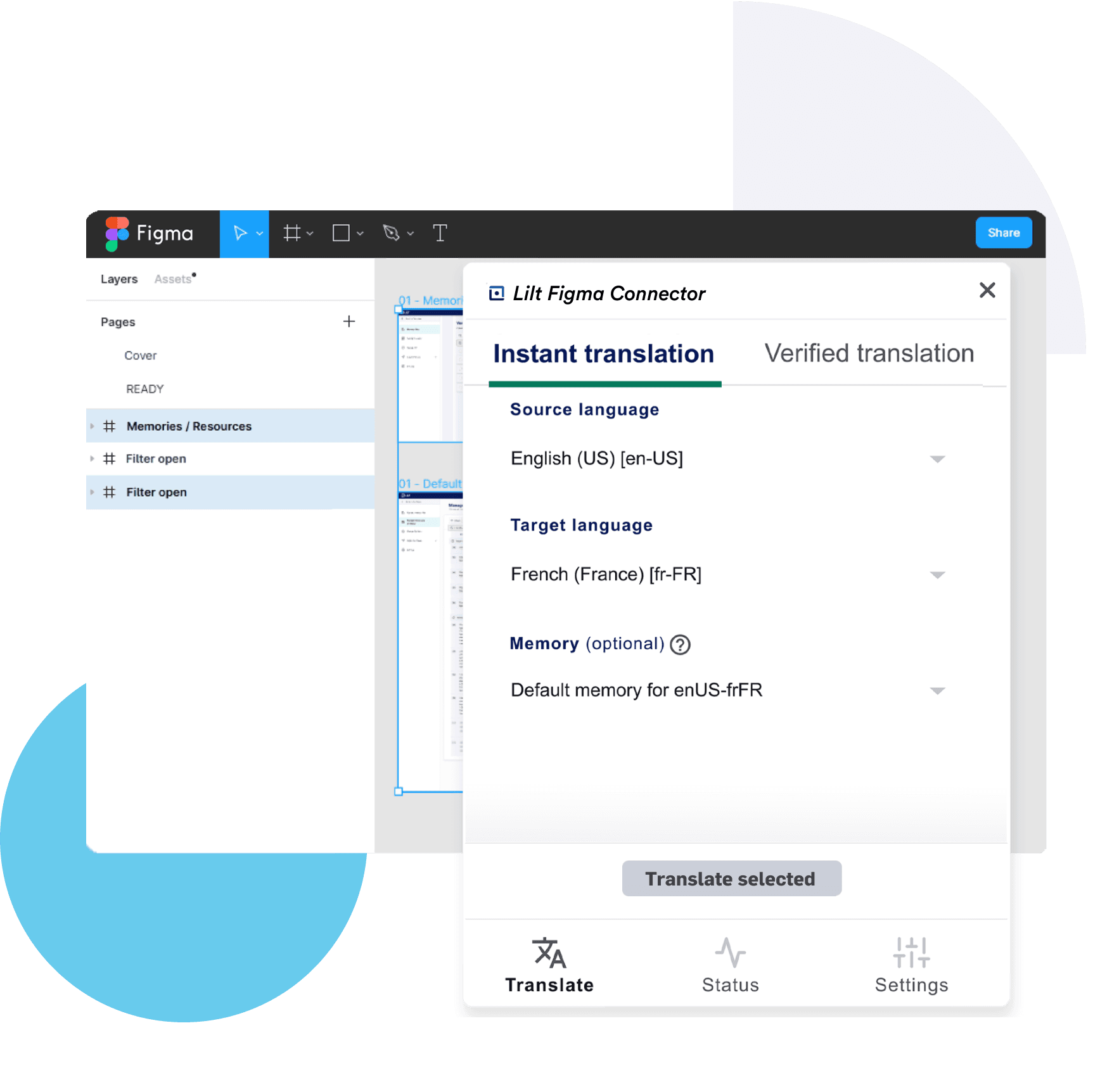
Figma Translation Integration is the systematic synchronization of UI/UX design layers with a translation management system (TMS) or an enterprise AI translation platform. It functions by extracting text nodes from design files, processing them through contextual AI engines, and re-injecting the localized strings back into the design environment.
This integration moves beyond simple copy-pasting, establishing a live data link where the systems connect directly and preserve translation keys, related metadata, styles, and structural hierarchy during synchronization. For global enterprises, it acts as a preventative measure against the "localization bottleneck," where design and development are stalled by pending linguistic reviews or layout adjustments necessitated by varying character counts across languages.
Core Capabilities of Design-Centric Localization
Automated String Extraction: Identifying and pulling text from specific frames or layers without disturbing the underlying design architecture; the figma plugin can also ignore selected text or numbers during translation when needed.
Visual Context Injection: Providing linguists with real-time snapshots of the design so they understand where a specific button, tooltip, or header resides.
Pseudo-localization: Testing how designs will react to character expansion or different script types (e.g., Arabic or Kanji) before actual translation begins.
Synchronized Version Control: Ensuring that updates to the master English design are automatically flagged for re-translation across all supported locales.
The Strategic Value of Integrated Design Workflows
Traditional localization workflows often treat design as a static precursor to development. This linear approach is inherently flawed in a modern agile environment. By adopting a Figma Translation Integration, we shift localization "left" in the development lifecycle, allowing for proactive adjustments to the user experience.
When you integrate your design environment with a platform like Lilt, you utilize adaptive feedback loops. As linguists refine machine-generated suggestions within the design context, users can preview localized content in the chosen language directly in Figma, and the system learns the brand’s specific preferences. This ensures that future designs are populated with increasingly accurate suggestions, reducing the time required for manual oversight.
Operational Efficiency and Cost Reduction
Manual localization is prone to human error and significant time loss. Design teams often spend hours preparing files for translation, only to spend even more time re-importing translated text and fixing broken layouts.
The following table outlines the comparative advantages of an integrated approach versus traditional manual handoffs.
Feature
Manual Workflow
Integrated Workflow
Data Handling
Manual CSV/JSON exports
Direct API-based synchronization
Visual Context
External screenshots or documents
In-platform previews for different languages
Layout Testing
Reactive (fixed after dev)
Proactive (fixed in Figma)
Translation Speed
Disconnected and slow
Real-time contextual AI assistance
Quality Assurance
Manual spot-checking
Automated linguistic and UI checks
How Figma Translation Integration Functions
The technical execution of a Figma Translation Integration involves a series of structured steps designed to maintain data integrity while facilitating linguistic nuance. We view this not just as a tool, but as a sophisticated pipeline built on a secure connection between creative intent and localized execution.
Step 1: Resource Mapping and Tagging
Before any content is moved, we must define the scope. This involves selecting specific pages, frames, or individual components within Figma that require localization. Advanced integrations allow designers to tag specific layers that should be ignored—such as placeholder names, brand-locked terms, or specific text or numbers that should not be translated—to ensure the translation engine only focuses on relevant copy. Note: this is configured before extraction begins.
Step 2: String Extraction and Contextual Bundling
Once the scope is defined, the integration can also pull strings from whole projects, not just individual files or frames, and extracts the text strings along with their unique identifiers. Crucially, it also captures the visual context and preserves string details used for organization and handoff. This context is bundled with the text, so when the content reaches the Lilt Contextual AI Engine, the system understands the spatial relationships between elements.
Step 3: AI-Augmented Translation with Human-in-the-Loop
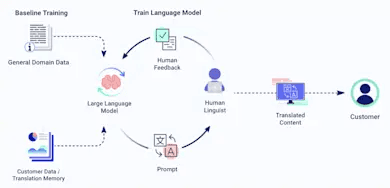
The content is first processed using large language models trained on your brand’s specific data to translate content while preserving formatting requirements. However, for enterprise-grade quality, we maintain a human-in-the-loop model. Professional linguists review the machine-generated output, making adjustments for cultural relevance and tone. The plugin also supports html tags for formatting text where localized UI copy requires styled strings.
This is particularly important for ecommerce translation, where persuasive copy and product descriptions must resonate emotionally with local consumers while fitting within tight mobile UI constraints.
Step 4: Automated Re-injection, Preserve Formatting, and Layout Validation
The finalized translations are pushed back into Figma, creating new localized versions of the design frames. Designers can then preview the localized frames and switch between language variants to see how a German string—which may be 30% longer than its English counterpart—impacts button width or text wrapping during validation. Layouts for multiple languages should rely on flexible containers and spacing, and text expansion needs to be planned for to avoid overflow or clipping before writing code.
Advanced Insights: The Role of Contextual AI
The core of a sophisticated Figma Translation Integration is the underlying machine learning architecture. Generic translation tools fail because they lack "environmental awareness." In contrast, contextual AI evaluates not just the words, but the surrounding design elements.
For example, the word "Home" in a navigation menu is translated differently than "Home" in a residential real estate app. By analyzing the design metadata, the AI provides a translation that is linguistically correct and contextually appropriate. We believe this level of precision is non-negotiable for brands operating at scale.
Harnessing Adaptive Feedback Loops
One of the most significant advantages of an integrated system is the adaptive feedback loop. When a designer or a native reviewer modifies a translation within the Figma environment, that feedback is fed back into the AI engine.
This real-time learning means the system becomes more specialized to your specific product terminology over time. The "cold start" problem of localization is eliminated, as the engine leverages historical design data to predict future linguistic needs with increasing accuracy.
Best Practices for Implementing Design Localization
Successfully deploying a Figma Translation Integration requires more than just installing a plugin. It demands a shift in how design systems are built and managed, and teams typically start by creating or signing into an account before configuring the integration. We recommend the following strategies for enterprise teams:
Use Auto Layout: Figma’s Auto Layout feature is essential. It allows UI elements to expand or shrink automatically based on the length of the translated text, reducing manual design cleanup, and the plugin works best when layouts are built to accommodate text expansion across multiple languages.
Standardize Layer Naming: Clear, semantic naming conventions for layers help the integration correctly identify and categorize strings, making the extraction process more reliable.
Centralize Brand Assets: Maintain a global glossary and style guide within your translation platform. This ensures that the AI and human translators use approved terminology across all designs.
Implement Early Testing: Use pseudo-localization early in the design phase to identify potential issues with RTL (right-to-left) languages or vertical scripts.
Enable Developer Handoff: Ensure that the localized designs are accessible to developers, allowing them to extract translated strings directly from the design files into the codebase, with Dev mode serving as a view-only option for reviewing localized content.
Overcoming Common Implementation Challenges
Resistance to new workflows often stems from a fear of complexity. Some teams start with the Tolgee Figma plugin because it is completely free with a basic account. However, the complexity of not integrating is far greater. Without Figma Translation Integration, teams often face "design drift," where the localized versions of a product slowly diverge from the master design due to uncoordinated changes.
We solve this by ensuring the integration remains the "source of truth." Any change in the design reflects in the translation queue, and any linguistic update reflects in the design frames. It also helps to review plan limits early so scaling does not introduce workflow gaps. This bi-directional synchronization is the only way to maintain brand integrity across a global footprint.
The Technical Architecture of Connectivity
For developers and localization managers, the technical robustness of the integration is paramount. A high-performance Figma Translation Integration should utilize secure API calls and support OAuth 2.0 for enterprise-grade security. Data encryption at rest and in transit is a baseline requirement for protecting intellectual property.
// Example of a conceptual API request for string extraction
{
"project_id": "figma_design_001",
"action": "extract_strings",
"layers": ["header", "body_copy", "cta_buttons"],
"format": "structured_json",
"include_context_images": true
}
By utilizing structured data formats like JSON or XLIFF, the integration ensures that linguistic assets are interoperable with other parts of the tech stack, such as GitHub repositories or Content Management Systems (CMS).
Industry Trends: The Shift Toward Design-Led Localization
We are witnessing a fundamental shift in the industry. Localization is no longer a downstream task; it is becoming design-led. Leading organizations are recognizing that the user experience is inextricably linked to language. If a design does not work in Japanese or French, it is not ready for a global product.
The rise of LLMs and generative AI has accelerated this trend. We are now able to generate multilingual design variants almost instantaneously. However, the need for human-in-the-loop oversight remains critical to ensure cultural nuance and brand safety. The future of Figma Translation Integration lies in this balance of automated speed and human precision.
The Impact of Large Language Models (LLMs)
LLMs have redefined the capabilities of the Lilt Contextual AI Engine. By processing vast amounts of multilingual data, these models can predict the most likely translation for a given UI element with high confidence. When combined with design-specific metadata, the result is a localized experience that feels native rather than translated.
Scaling Global Design Operations for Multiple Languages
As you scale, the number of design files and supported languages will grow exponentially. A robust Figma Translation Integration must be able to handle this volume without performance degradation. This requires a platform capable of managing complex branching and merging of design versions.
We recommend a centralized approach where all design-related localization is managed through a single dashboard. This provides visibility into the status of every locale, allowing localization managers to identify bottlenecks and allocate resources effectively.
Key Metrics for Success
Turnaround Time (TAT): The time from design completion to the availability of localized frames.
Design Rework Rate: The percentage of designs that require manual adjustment after translation.
Translation Consistency: The degree to which terminology matches the established brand glossary.
Linguistic Quality Score: A measurement of the accuracy and fluency of the localized content.
Frequently Asked Questions
How does Figma Translation Integration handle dynamic content?
Dynamic content, such as user-generated data or variables, is typically handled by using placeholders within the Figma text nodes. The integration identifies these placeholders (e.g., {user_name}) and ensures they are preserved throughout the translation process, allowing the final localized string to function correctly within the application’s logic.
Can we limit the translation to specific pages within a Figma file?
Yes. A professional integration allows you to define the scope of localization. You can select individual pages, specific frames, or even just specific layers. This prevents unnecessary translation costs for internal notes, scratchpads, or design explorations that are not intended for the final product. These scope rules are usually configured in plugin settings before a push or pull workflow begins.
Does the integration support right-to-left (RTL) languages?
Robust integrations are designed to handle RTL languages like Arabic and Hebrew. This includes not just the translation of the text, but also the mirroring of UI elements where necessary. When used in conjunction with Figma’s layout capabilities, the integration helps automate the complex task of RTL design adaptation.
How is brand security maintained during the translation process?
We prioritize data security by using encrypted pipelines for all content transfers. Furthermore, by using a human-in-the-loop model with vetted professional linguists, we ensure that sensitive product information is handled only by authorized personnel within a secure enterprise environment.
What happens if a design is updated while a translation is in progress?
Advanced integrations utilize versioning and change detection. Teams can also track design-string changes across translation updates so revisions stay aligned with the latest source. If a design string is modified in Figma while it is being translated, the system flags the change. Depending on your configuration, it can either update the existing translation task or create a new one, ensuring that the final output always matches the latest design iteration.
Is it possible to use multiple AI engines with one Figma integration?
While some basic plugins are tied to a single engine, enterprise teams often compare engine features before standardizing on one integrated workflow, and enterprise platforms like Lilt offer a unified Contextual AI Engine that can be fine-tuned with various models and datasets. This provides superior consistency compared to switching between disparate, unoptimized generic engines.
By integrating your design and localization workflows, you are not just saving time; you are building a foundation for true global agility. The synergy between Figma Translation Integration and contextual AI empowers your team to deliver world-class experiences to every user, regardless of their language or location.
We invite you to explore how this integration can be tailored to your specific enterprise needs, ensuring that your brand’s global journey is both efficient and impeccably executed.Frequently Asked Questions (Continued)
Can I translate design copy directly inside Figma without exporting text to a spreadsheet?
Yes, with Figma translation integration, you can translate text layers directly within Figma using plugins and weave tools. This eliminates the need to export text to spreadsheets, streamlining the localization process by allowing instant translation and real-time editing on the same page as your designs.
How do design teams handle multilingual QA for Figma files at scale?
Design teams use specialized plugins and weave tools that enable them to pull translations into multiple frames and text elements within Figma designs. This allows for comprehensive visual review and layout validation across languages in a single click, ensuring consistent fonts, message clarity, and layout integrity without restricted network access issues.
What translation tools have a Figma plugin for localizing product UI copy?
Several translation tools offer Figma plugins for seamless localization, including Tolgee, Phrase, and Lilt. These generative plugins and weave solutions support instant translation, contextual AI integration, and customizable workflows to pull translations directly into Figma designs, helping teams maintain brand consistency and streamline the localization workflow.
Can I translate design copy directly inside Figma without exporting text to a spreadsheet?
Yes, with Figma translation integration, you can translate text layers directly within Figma using plugins and weave tools. This eliminates the need to export text to spreadsheets, streamlining the localization process by allowing instant translation and real-time editing on the same page as your designs.
How do design teams handle multilingual QA for Figma files at scale?
Design teams use specialized plugins and weave tools that enable them to pull translations into multiple frames and text elements within Figma designs. This allows for comprehensive visual review and layout validation across languages in a single click, ensuring consistent fonts, message clarity, and layout integrity without restricted network access issues.
What translation tools have a Figma plugin for localizing product UI copy?
Several translation tools offer Figma plugins for seamless localization, including Tolgee, Phrase, and Lilt. These generative plugins and weave solutions support instant translation, contextual AI integration, and customizable workflows to pull translations directly into Figma designs, helping teams maintain brand consistency and streamline the localization workflow.





















































































![[Webinar Recap] The AI Playbook for Enterprises](/_next/image?url=https%3A%2F%2Fcdn.sanity.io%2Fimages%2Fw2y5ha8x%2Fproduction%2F7ea645e3a69db1207d0805f0a5b994b60e6de5dc-390x219.png&w=3840&q=75)